Make an assessment from any web page
Reading an article you want to teach from? Highlight the text, right-click, and AssessmentWiz turns it into an exit ticket, quiz, rubric, or leveled reading passage, right there in Chrome.
How it works
Add AssessmentWiz to Chrome
Install it free from the Chrome Web Store.
Sign in on assessmentwiz.com
The extension uses your AssessmentWiz account, so there's no separate login.
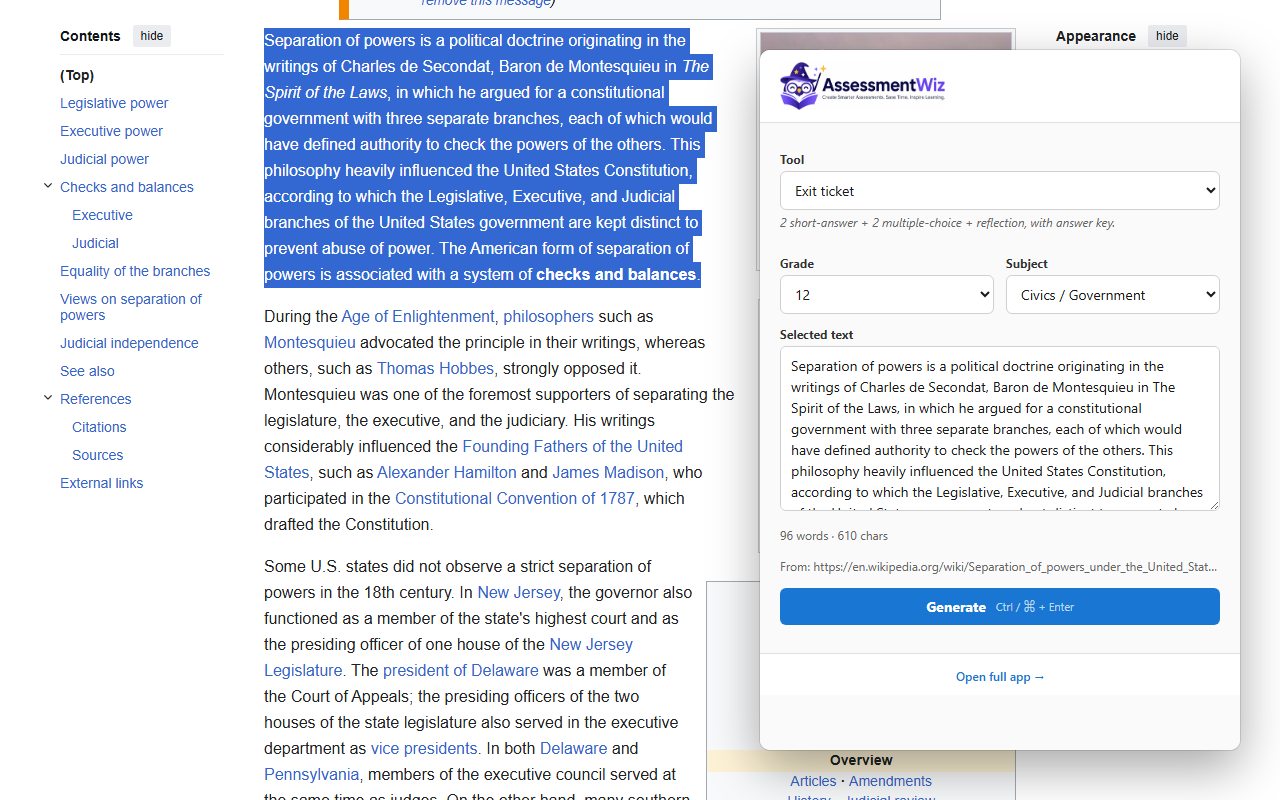
Highlight, right-click, pick a tool
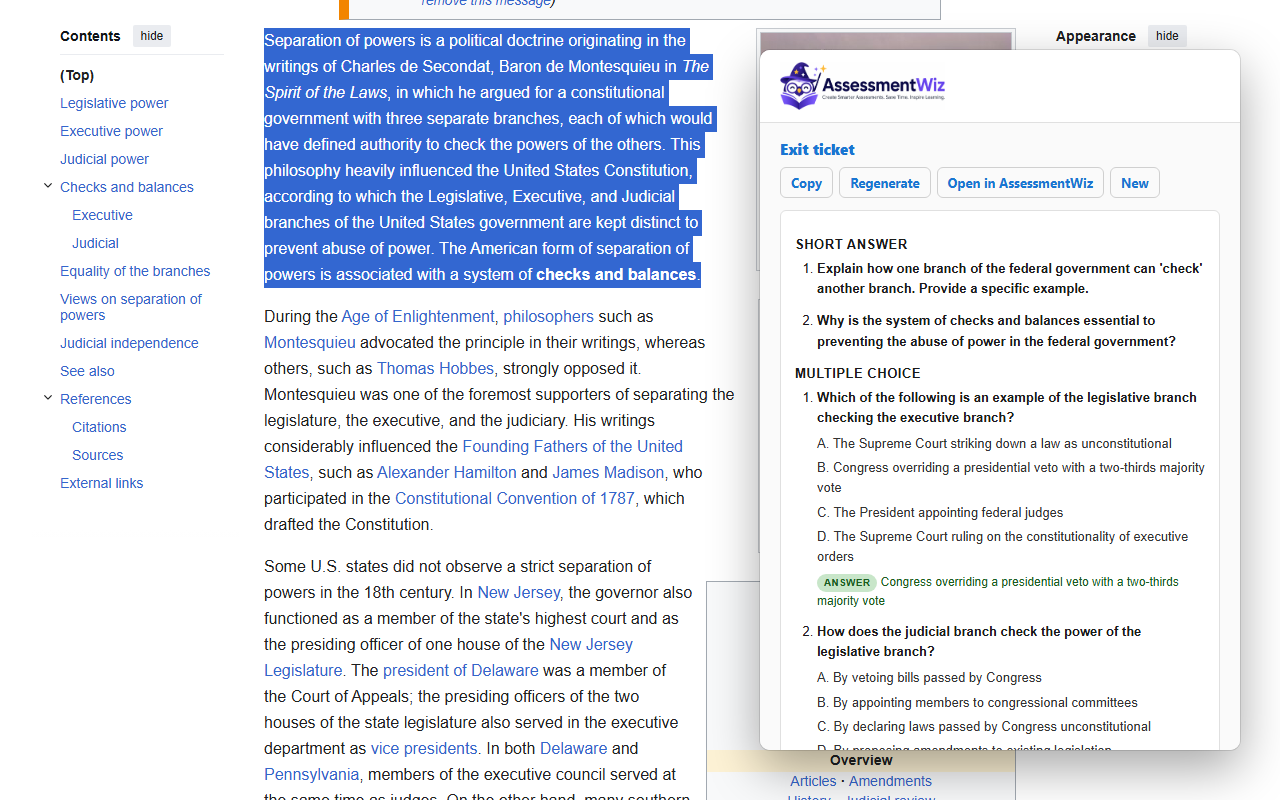
Choose a grade, click Generate, then copy the result or open it in AssessmentWiz to edit, print, or share.
See it in action
Works with these tools
- Exit Tickets — Quick end-of-lesson checks aligned to your objectives.
- Quizzes — Auto-graded multiple choice, true/false, and short answer sets.
- Rubrics — Standalone criterion rubrics — analytic, holistic, single-point, or IB MYP.
- Leveled Reading Passages — Rewrite any passage at 2-5 grade bands with comprehension questions per level.